Edit or Delete Proxy Repositories and Policy Gateways
You can change the upstream settings of a proxy repository, rename a Policy Gateway, and remove either one. Because the generated Firewall Enterprise URLs are derived from your configuration, some of these changes require a matching update in your repository manager.
Edit or Delete a Proxy Repository
Use the edit icon (a pencil icon) in the Proxy Repositories table to change the Upstream URL and, for PyPI, the Remote index path and Package host URL.
Note
The name, format, and NuGet protocol version cannot be changed. To change any of those, delete the proxy repository and create a new one.
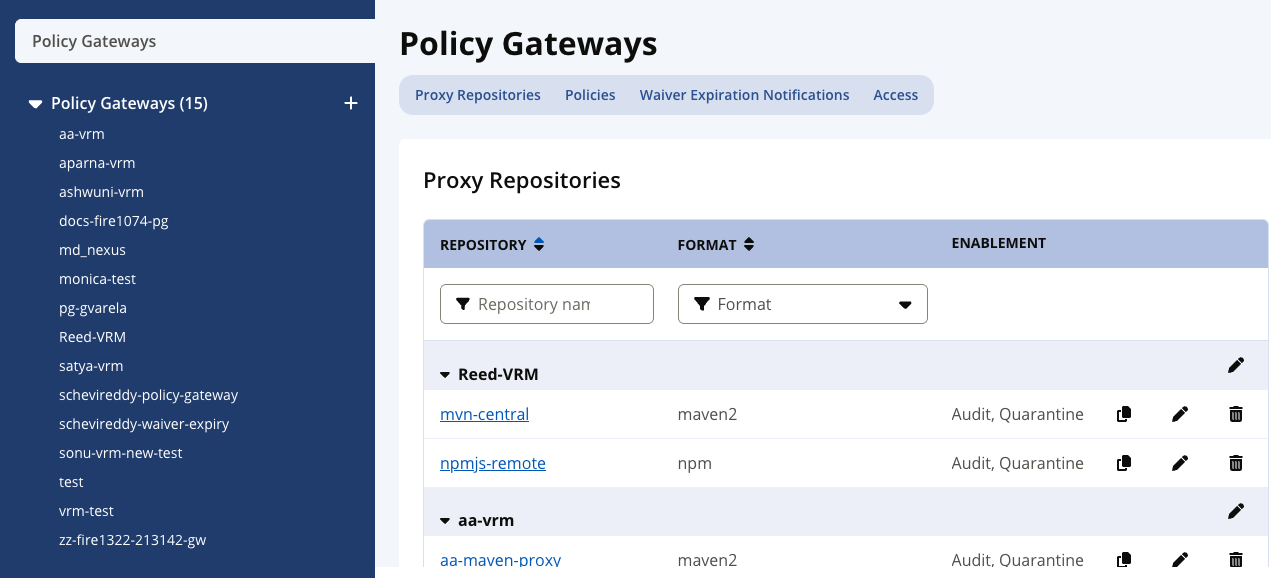 |
Use the delete icon (a trash can) in the Proxy Repositories table to remove a proxy repository.
What happens:
Findings listed under that proxy repository are deleted with it.
Waivers on the Policy Gateway are kept, and a new finding is recorded the next time the component is requested through another proxy repository.
Its generated URL stops working. Removing the configuration does not change your repository manager: update or remove the matching proxy repository there as well.
Edit or Delete a Policy Gateway
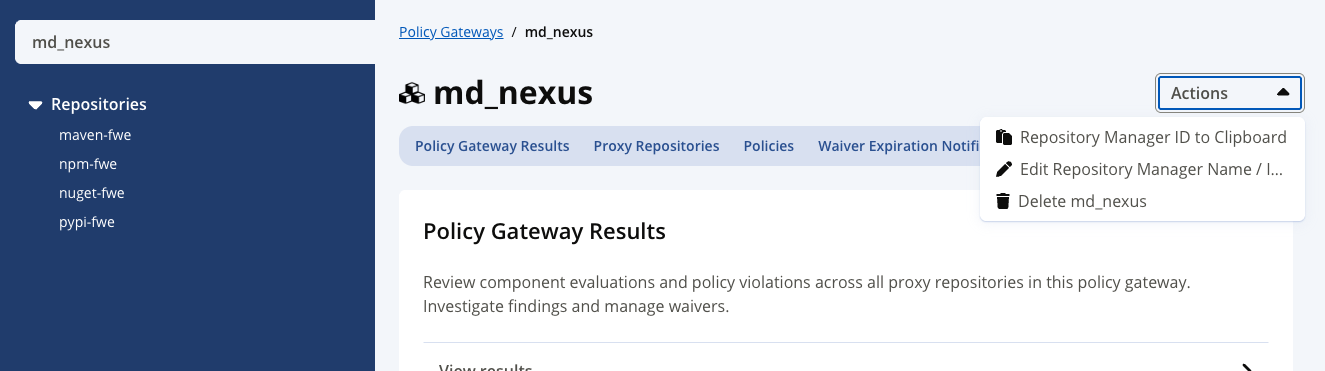
On a Policy Gateway’s individual page, open the Actions drop-down menu to copy the Policy Gateway’s ID, edit its name or icon, or delete it. Note that a Policy Gateway's instance ID never changes, even when the Policy Gateway is renamed.
Note
A Policy Gateway name must contain from 1 through 200 characters and can contain only letters, digits, periods (.), underscores (_), hyphens (-), be unique, not be . or .. and not use a UUID-like value that can be interpreted as a Policy Gateway instance ID. See Configure Firewall Enterprise > Create a Policy Gateway.
 |
Note
Generated URLs contain the Policy Gateway name, so renaming a Policy Gateway changes them. Update the repository manager afterwards.
Deletion is not blocked by the proxy repositories it contains. The confirmation states how many descendants are removed, and the Policy Gateway and all of its proxy repositories are deleted together. Their generated URLs stop working, so update the repository manager.