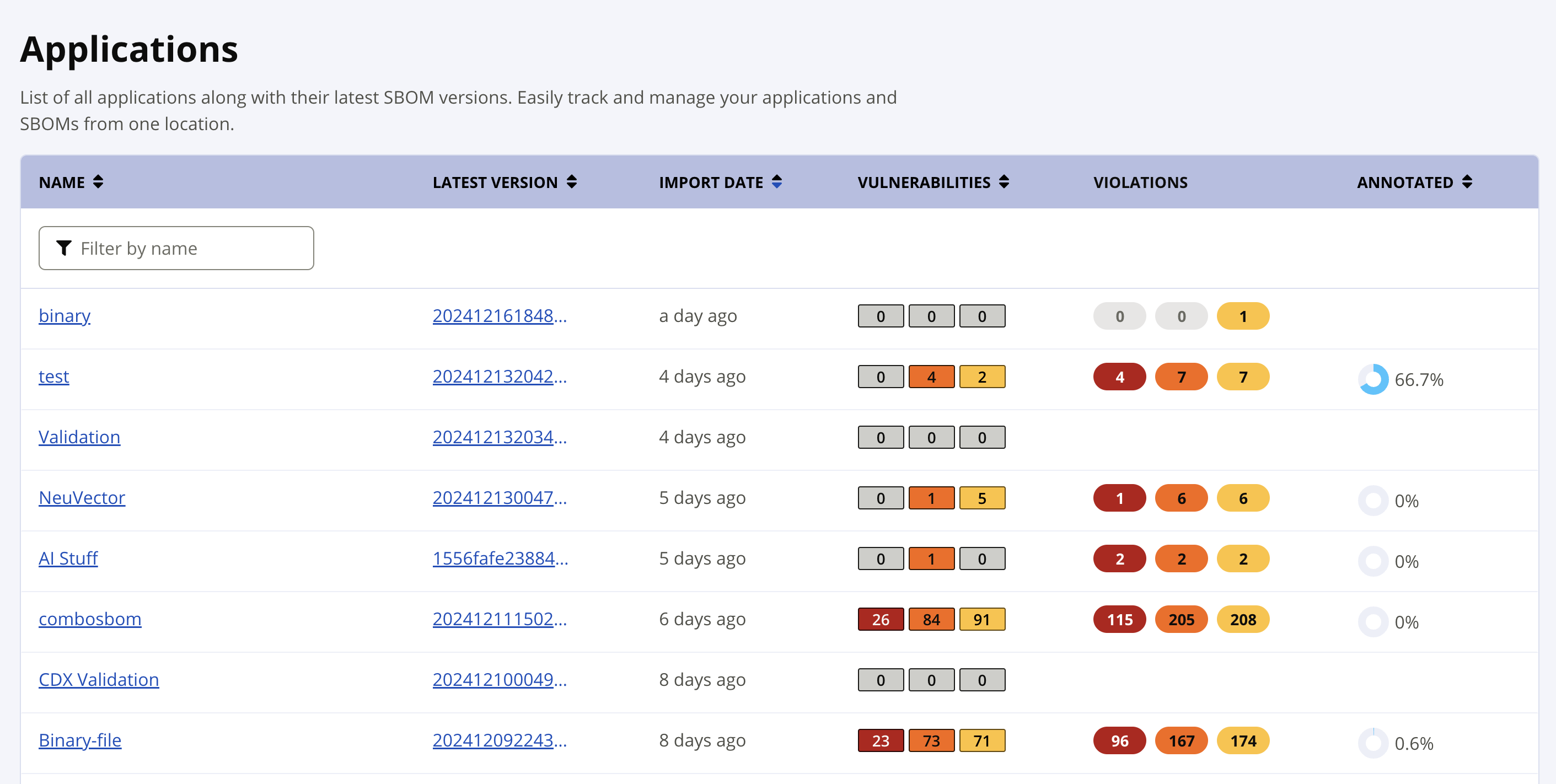
SBOM Manager Applications View
The Applications view is a complete list of your applications and their latest versions. From a glance see when the latest version has been imported, how many vulnerabilities and policy violations have been discovered, and the progress your team has made on the needed VEX annotations.
Selecting an Application name opens the Application Version view.
Selecting the Latest Version opens the Bill of Materials view.
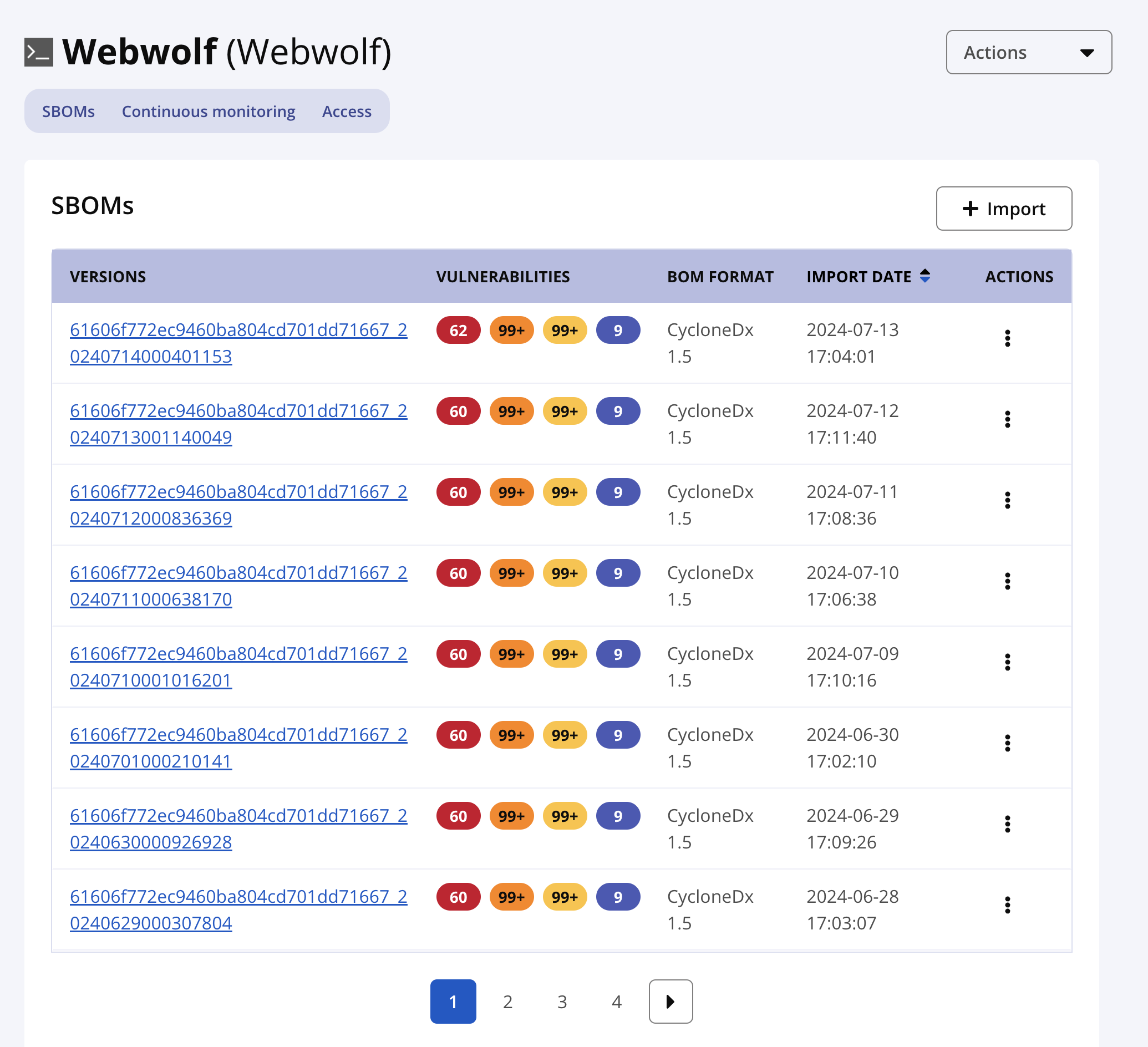
Application Versions
Manage access to the application and view the SBOMs imported for the application. A separate SBOM is saved for each version of your application.
Import new SBOM versions for your application.
View a summary of risk for each version of your application.
Selecting a version of your SBOM opens the Bill of Material view.
The ellipsis menu under the Actions column lets you delete or export the SBOM.