Connect Your Repository Manager
Once you have created a Policy Gateway and its proxy repositories, point your repository manager at the generated Firewall Enterprise URLs. Each proxy repository in Firewall Enterprise corresponds to one remote (proxy) repository in your repository manager with a matching package format.
Credentials for the Repository Manager
Use a dedicated service account for the repository manager.
The repository manager authenticates to Firewall Enterprise with an IQ user token. Use the user code as the username and the passcode as the password.
Assign the Component Evaluator role to the service account on the Policy Gateways container.
Note
A role assigned only to an individual Policy Gateway is not sufficient because the repository-manager permission check is performed on the Policy Gateways container.
The service account must sign in and generate its own IQ user token. An administrator cannot generate a user token for another user.
Package clients authenticate to the repository manager separately. Firewall Enterprise credentials are configured only in the repository manager.
See Access Control and Permissions in Sonatype Firewall Enterprise > Create a Service Account for the Repository Manager for more information.
Configure JFrog Artifactory
Configure a JFrog Artifactory remote repository for each Firewall Enterprise proxy repository. The package format in Artifactory must match the format of the Firewall Enterprise proxy repository.
In JFrog Artifactory, create or edit a remote repository for the required package format.
Configure the repository URL fields for the format:
For Maven or npm, enter the generated Firewall Enterprise URL in the URL field.
For PyPI:
In URL, enter the generated Firewall Enterprise URL.
In Registry URL, enter the same generated Firewall Enterprise URL.
In Registry Suffix, enter
simple.
Both URL and Registry URL must point to Firewall Enterprise. If URL points to a public package host such as
files.pythonhosted.org, package files are downloaded without being evaluated by Firewall Enterprise.For NuGet:
The generated Firewall Enterprise URL ends in
/v2for NuGet V2 or/v3/index.jsonfor NuGet V3. Artifactory adds its own paths to the URL that you enter, so enter the repository root instead of the complete generated URL.In URL, enter the generated Firewall Enterprise URL without the trailing
/v2or/v3/index.json.Leave NuGet Download Context Path (
api/v2/package) and NuGet Feed Context Path (api/v2) at their default values.For NuGet V3, enter the complete generated Firewall Enterprise URL ending in
/v3/index.jsonin V3 Feed URL.For NuGet V2, leave V3 Feed URL empty.
Use the same NuGet protocol version in Artifactory and in the Firewall Enterprise proxy repository.
In the remote repository’s username and password fields, enter the dedicated service account’s IQ user token user code as the username and its passcode as the password. See Credentials for the Repository Manager.
Review Metadata Retrieval Cache Period and Missed Retrieval Cache Period. These settings determine how quickly a policy or waiver change is reflected. When Artifactory revalidates expired metadata, it sends a HEAD request, which Firewall Enterprise supports.
Save the remote repository.
Note
Configure the public registry URL in Firewall Enterprise, not in the Artifactory remote repository.
Firewall Enterprise does not require the Firewall for Artifactory plugin. Do not configure the same remote repository through both Firewall Enterprise and the Firewall for Artifactory plugin.
For information about refreshing cached metadata after a policy or waiver change, see Review Results and Manage Waivers > Refresh Metadata After a Change.
Configure Package Clients
Package clients keep connecting to your repository manager.
Note
Never point a package client at the generated Firewall Enterprise URL.
Client | Point it at |
|---|---|
Maven | The Maven repository URL in your third-party repository manager. |
npm | The npm registry endpoint in your repository manager. |
pip, Poetry, Pipenv | The PyPI index URL in your repository manager, including |
NuGet | The NuGet endpoint in your repository manager, with the matching protocol version. |
Verify the Connection
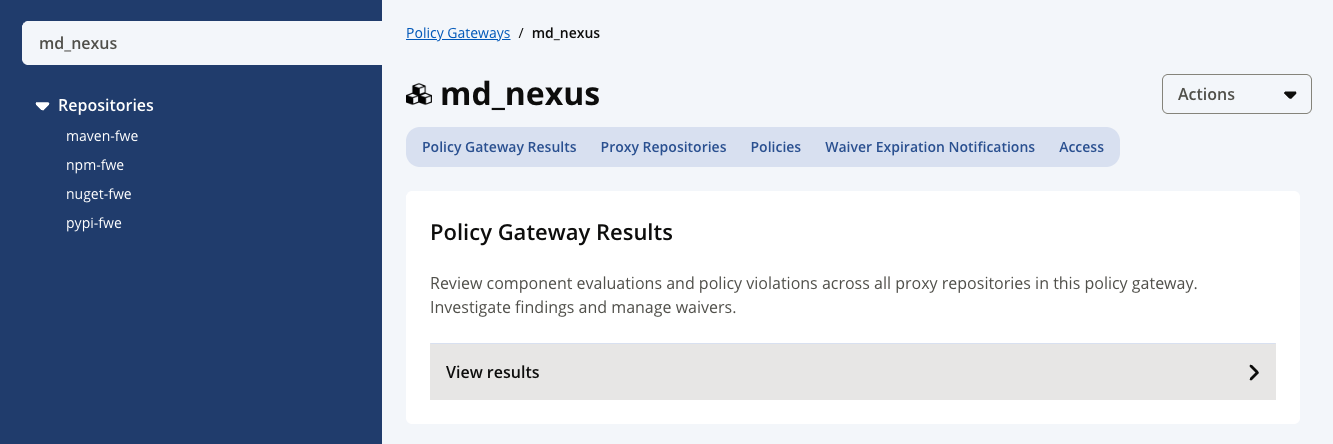
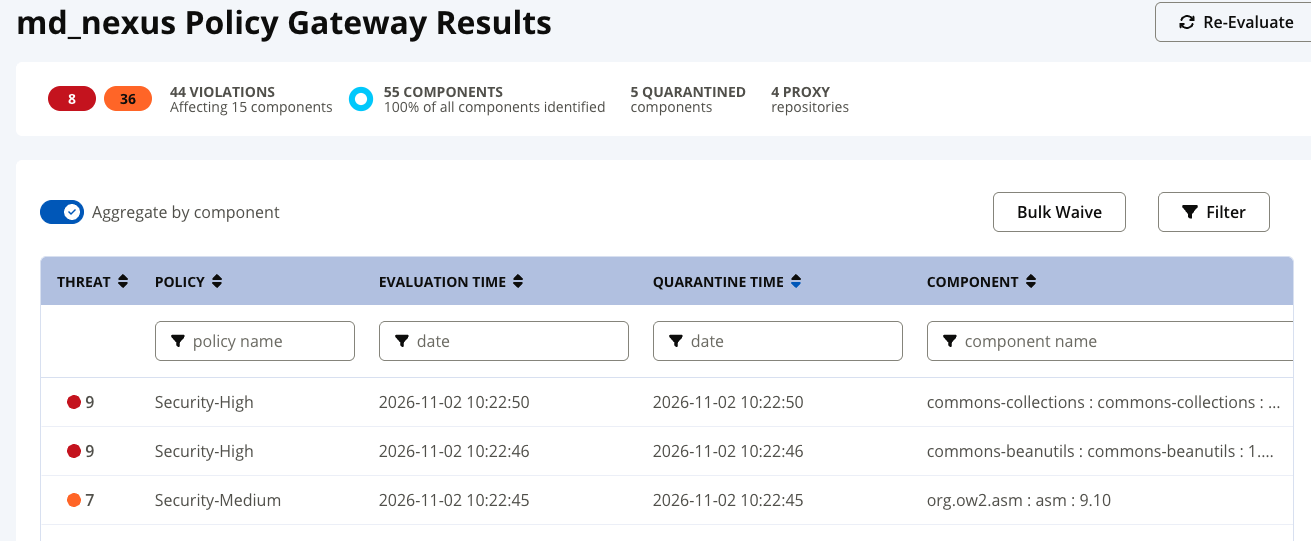
To verify the connection, request a component that is not already in the repository manager's cache and that you expect to be allowed. The component should download as normal. Then, navigate to the Policy Gateway Results tab for the Policy Gateway; select View results to see detailed evaluation results and ensure your request appears in the table. This confirms the request was evaluated by Firewall Enterprise rather than served another way.
To confirm blocking works, request a component you expect a Fail policy to block at the Proxy stage. The repository manager should fail to retrieve it, and the component should appear in the Policy Gateway's results as quarantined.
 |
 |
Note
Use a component that is not cached yet. A repository manager can serve a cached component without asking Firewall Enterprise at all. See Refresh metadata after a change.