Create a PyPI Repository
To install or publish PyPI packages, creation of a PyPI repository is required. Check out Nexus Repository Management and Repository Types to learn more.
PyPI Proxy Repository
Use Nexus proxy repository when you want to download packages and centralize package caching of external dependencies. To learn more, check Proxy Repositories.
To create a new PyPI proxy repository, take the following steps:
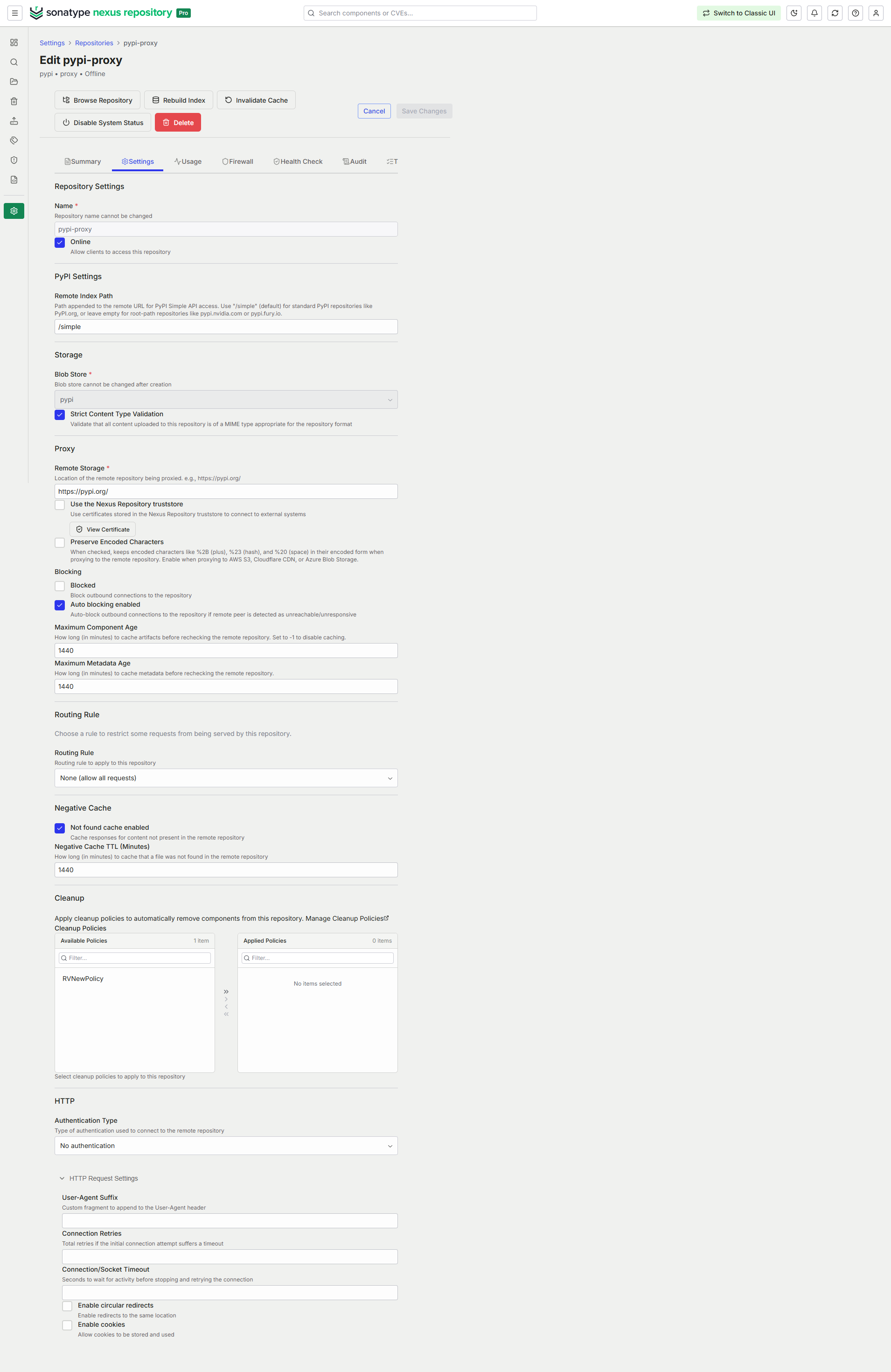
Nexus One UI
Navigate to Settings → Repositories.
Select Create Repository.
From the Select Format section, select PyPI.
From the Select Type section, select Proxy.
In the form that appears, complete the required fields.
Name, for example pypi-proxy
Remote storage URL, for example https://pypi.org/ or https://pypi.python.org/ as long as redirects are maintained
Blob Store
Complete the additional fields for configurations you wish to add for creating your repository. Available configurations differ by repository format and type. See Configurable Repository Fields for more details. Click Continue.
In the Enable Firewall section, select one of the following options:
Select Skip to leave Repository Firewall disabled.
Select Audit to monitor policy violations and malware.
Select Quarantine to block the download of components.
The firewall options aren't available if your firewall isn't configured. To configure Sonatype Firewall with Nexus Repository, follow the instructions in Nexus Repository 3 Pro Setup .
In the Enable RHC section, turn on Enable Repository Health Check to analyze components for security vulnerabilities and license issues. Leave it disabled to configure it later.
Select Create Repository.
Classic UI
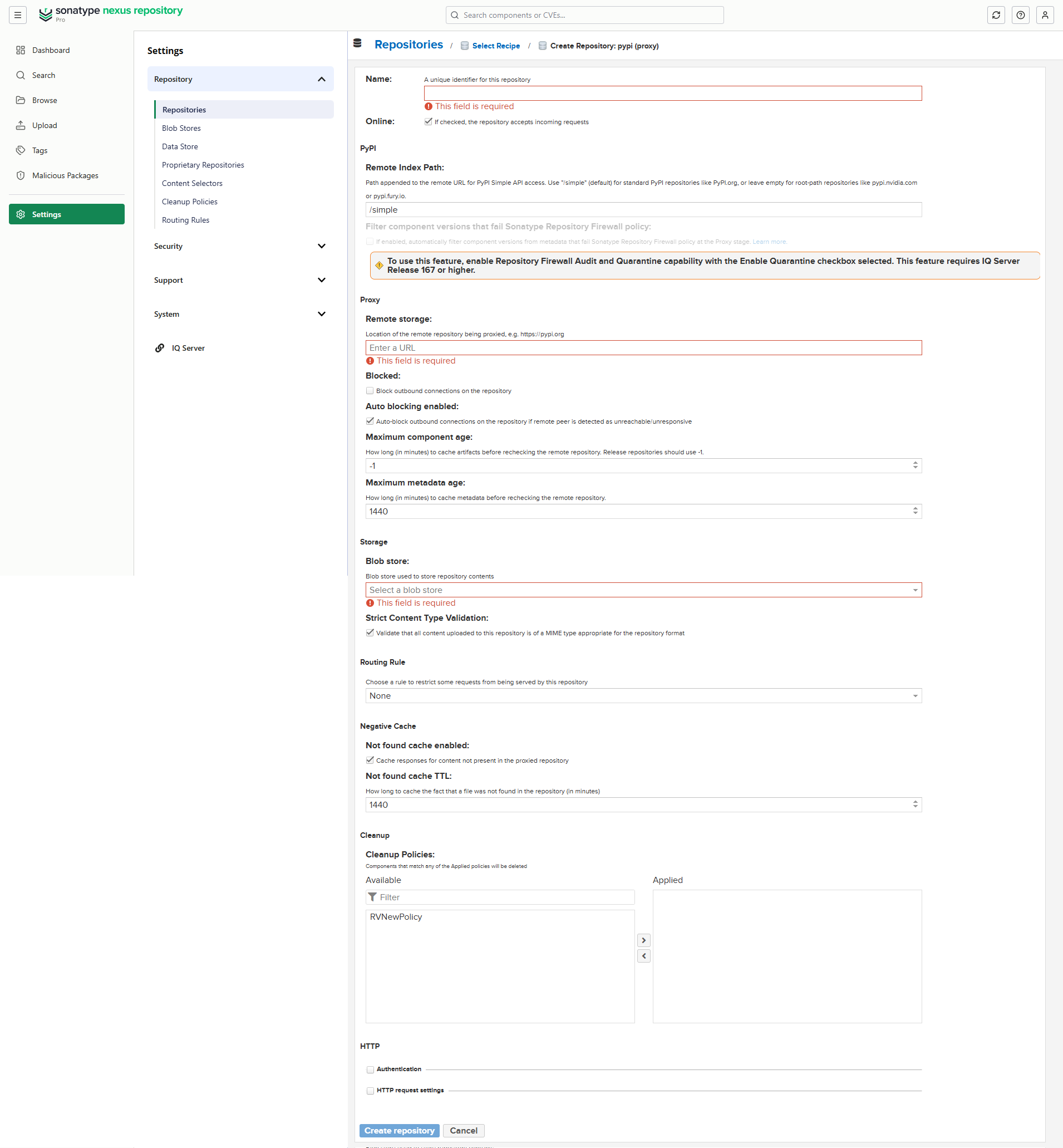
Navigate to Settings → Repository → Repositories.
Select Create repository.
From the list of Recipes, select pypi (proxy).
In the form that appears, complete the required fields.
Repository Name, for example pypi-proxy
Remote storage URL, for example https://pypi.org/ or https://pypi.python.org/ as long as redirects are maintained
Blob store
Complete the additional fields for configurations you want to add for your repository. Available configurations differ by repository format and type. See Configurable Repository Fields for more details.
Select Create repository.
Note
PyPI proxy repositories now support remote URLs that serve packages from either the
/simpleendpoint or the root index. This adds support for repositories such as https://pypi.nvidia.com, which do not follow the/simpleconvention. Configuration is available in the UI during PyPI proxy repository creation and through the REST API.When Nexus Repository proxies PyPI content, it rewrites the simple index response body. As a result, the ETag values displayed in the Browse UI and returned to clients differ from the ETag that Nexus sends upstream to PyPI on conditional
GETrequests.
PyPI Hosted Repository
Use Nexus hosted repository when you want to publish and store your own internal artifacts and third-party components, so they can be consumed via Nexus. To learn more, check Hosted Repositories.
To create a new PyPI hosted repository, take the following steps:
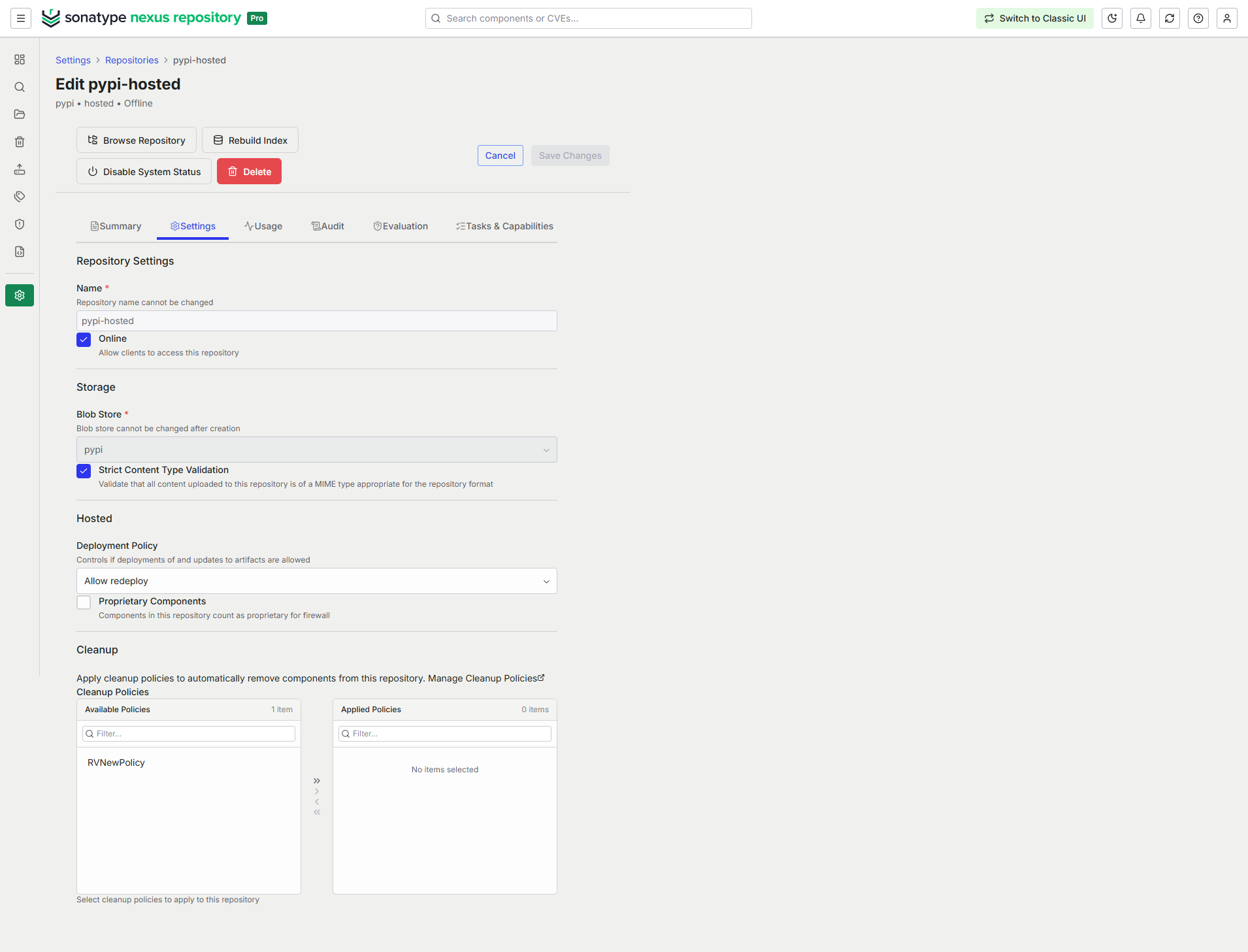
Nexus One UI
Navigate to Settings → Repositories.
Select Create Repository.
From the Select Format section, select PyPI.
From the Select Type section, select Hosted.
In the form that appears, complete the required fields.
Name, for example pypi-internal
Blob Store
Complete the additional fields for configurations you wish to add for creating your repository. Available configurations differ by repository format and type. See Configurable Repository Fields for more details.
Select Create Repository.
Classic UI
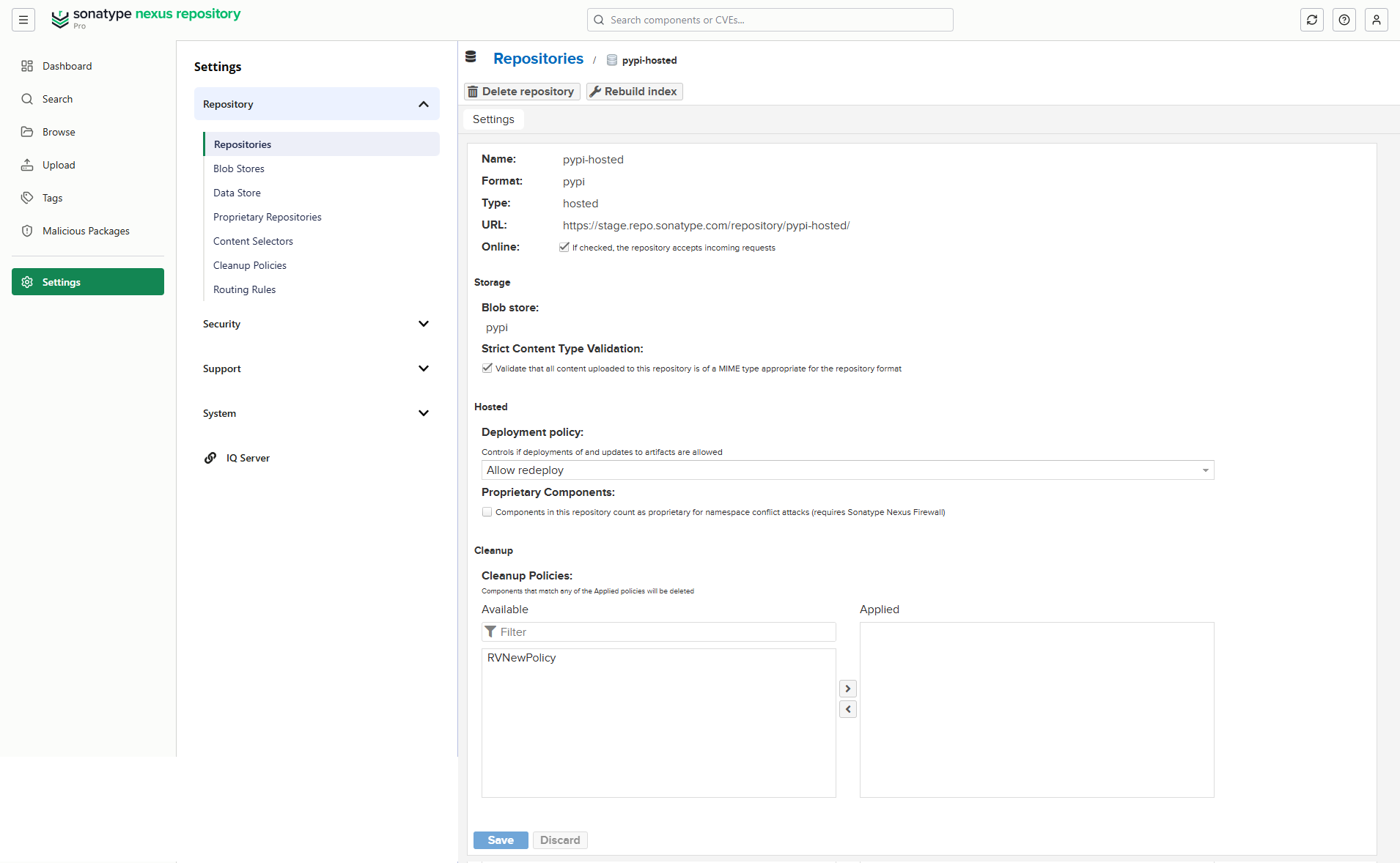
Navigate to Settings → Repository → Repositories.
Select Create repository.
From the list of Recipes, select pypi (hosted).
In the form that appears, complete the required fields.
Repository Name, for example pypi-internal
Blob store
Complete the additional fields for configurations you want to add for your repository. Available configurations differ by repository format and type. See Configurable Repository Fields for more details.
Select Create repository.
PyPI Group Repository
Use Nexus group repository when you want to combine multiple other repositories (proxy, hosted, and other groups) and expose them through a single URL. To learn more, check Group Repositories.
To create a new PyPI group repository, take the following steps:
Nexus One UI
Navigate to Settings → Repositories.
Select Create Repository.
From the Select Format section, select PyPI.
From the Select Type section, select Group.
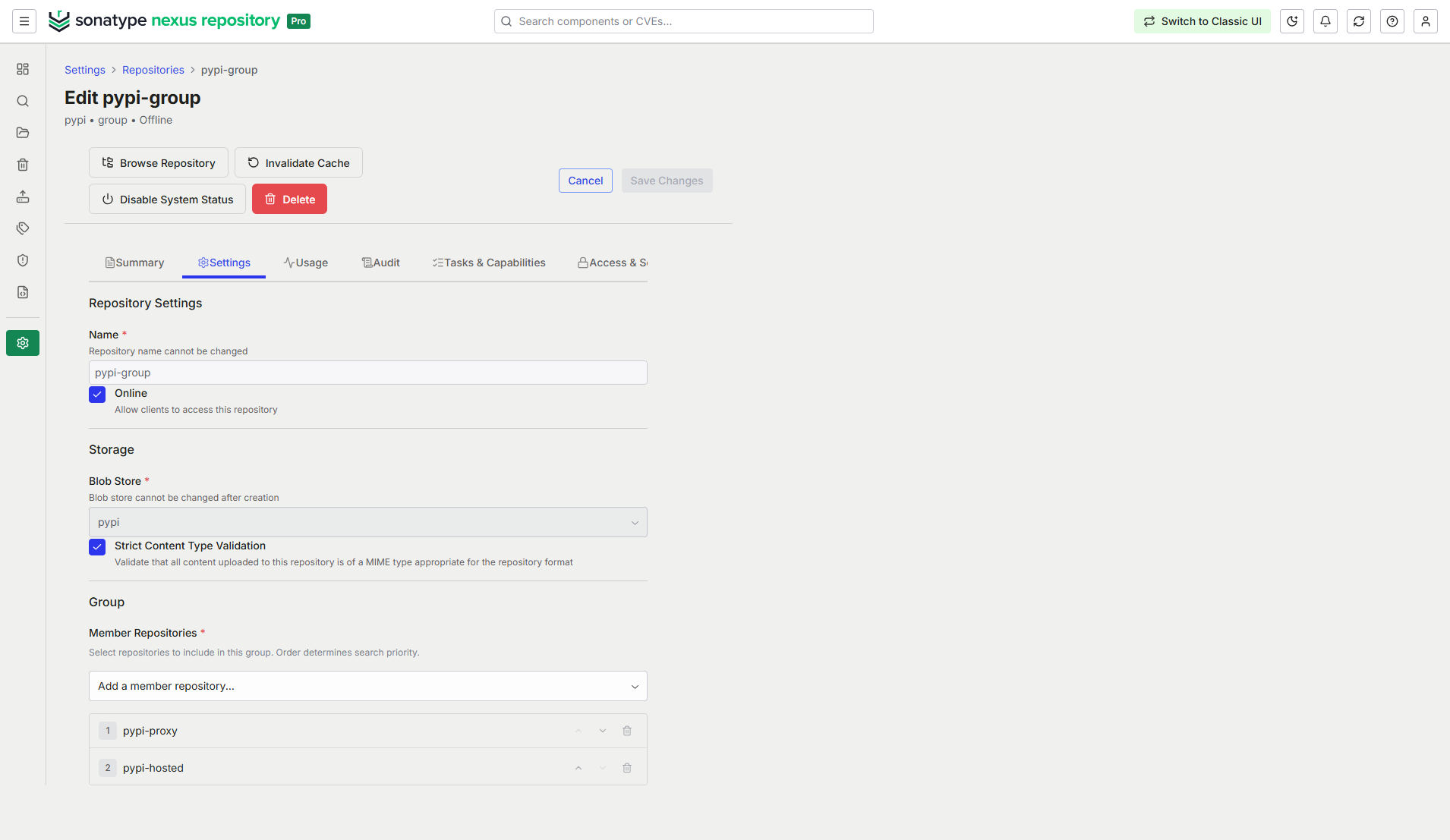
In the form that appears, complete the required fields.
Name, for example pypi-group
Blob Store
Member Repositories in the desired order
Complete the additional fields for configurations you wish to add for creating your repository. Available configurations differ by repository format and type. See Configurable Repository Fields for more details.
Select Create Repository.
Classic UI
Navigate to Settings → Repository → Repositories.
Select the Create repository button.
From the list of Recipes, select pypi (group).
In the form that appears, complete the required fields.
Repository Name, for example pypi-group
Blob store
Member repositories in the desired order
Complete the additional fields for configurations you want to add for your repository. Available configurations differ by repository format and type. See Configurable Repository Fields for more details.
Select Create repository.
