Waivers
Repository Firewall quarantines components with failing policy violations, preventing them from being downloaded during builds. A waiver releases a quarantined component by waiving all of its failing violations. Once a component enters the repository, failing violations no longer trigger quarantine for that component.
Waiving a violation does not remediate the underlying security issue. Use waivers to unblock a build while your team works toward a permanent resolution.
Use Cases
Use Case | Example and Recommendation |
|---|---|
Release a quarantined component for an urgent build while preserving Lifecycle policy visibility | Example: A critical library is quarantined, blocking a release build. Recommendation: Scope the waiver to the quarantine repository only with a short duration (1–2 weeks); the violation remains visible in Lifecycle reports so remediation is not forgotten. |
Temporarily unblock a build while an upgrade path is being evaluated | Example: No non-vulnerable version is yet available for a quarantined component. Recommendation: Apply a time-limited waiver with the "No Upgrade Path" reason; revisit when a fix is released. |
Apply an organization-wide release for a common library quarantined across multiple repositories | Example: A widely-used internal library triggers a new policy and blocks builds across several teams. Recommendation: Temporary organization-level waiver; add remediation tickets to each team's backlog and set a short expiration to force review. |
How Firewall Waivers Work
When all failing violations on a quarantined component are waived, the component is automatically released from quarantine. It can then be downloaded and used in builds.
After Waiver Expiration
The violation reoccurs, but the component is not automatically re-quarantined — it remains in the repository.
To re-quarantine a component:
Delete the component from the proxy repository after the waiver expires, or
Remove the waiver before the next download attempt is made
Waiver Properties
Scope
Firewall waivers can be scoped to:
A specific repository (recommended — prevents the waiver from releasing the component in unintended contexts)
An organization or Root Organization (use with caution; broad scopes can release components across repositories you did not intend to affect)
Expiration
Waivers either expire after a set duration or never expire.
Always use a short duration for Firewall waivers. After expiration, violations reoccur and act as a prompt to re-evaluate whether the component should remain in use.
Waivers Dashboard
View approved policy exceptions for components and containers across Firewall-enabled repositories.
Use the Waivers dashboard to review existing waivers and waiver requests for components and containers.
Waived Components
The Components tab displays component waivers across Firewall-enabled repositories.
Existing Waivers
The Existing Waivers tab displays approved component waivers.
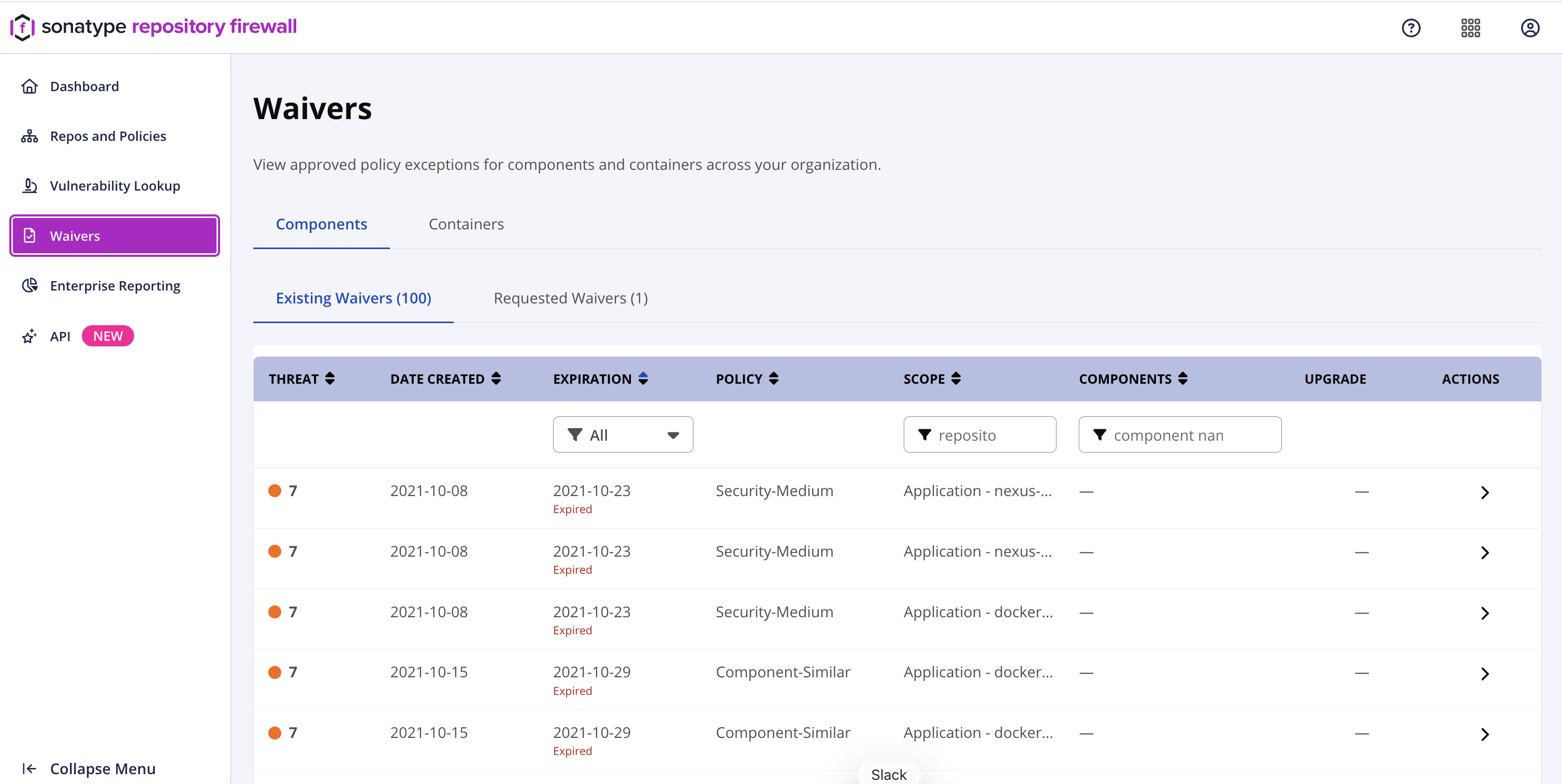
Navigate the results using the filters or pagination controls. The list can be sorted by Threat, Date Created, Expiration, Policy, and Components.
Threat | The threat level of the waived policy violation. |
|---|---|
Date Created | The date the waiver was created. |
Expiration | The date the waiver expires. If the waiver is expired, the dashboard displays an Expired status. |
Policy | The policy associated with the waiver. |
Scope | The application or repository scope where the waiver applies. Filter the list by entering part of the scope name. |
Components | The waived component. Filter the list by entering part of the component identifier. |
Upgrade | The recommended upgrade version, if available. |
Actions | Select the row arrow to view waiver details. |
Requested Waivers
The Requested Waivers tab displays component waiver requests that are pending review.
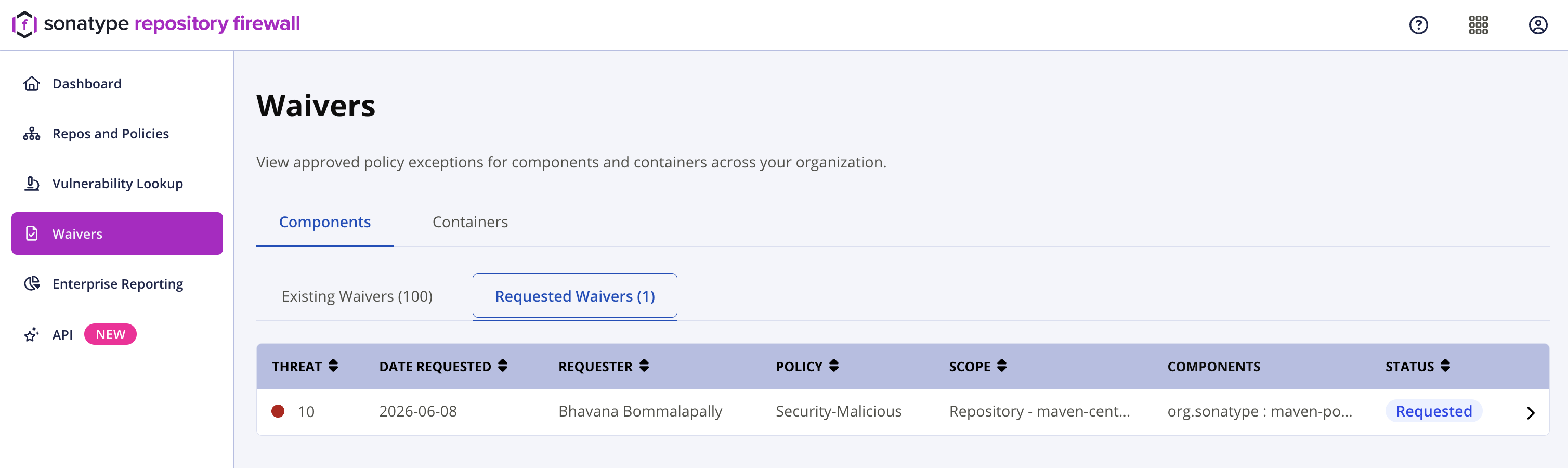
The list can be sorted by Threat, Date Requested, Requester, Policy, Scope, and Status.
Threat | The threat level of the waived policy violation. |
|---|---|
Date Requested | The date the waiver was requested. |
Requester | The user who requested the waiver. |
Policy | The policy associated with the waiver. |
Scope | The application or repository scope where the waiver applies. |
Components | The waived component. |
Status | The current waiver request status, such as Requested and Rejected. |
Waived Containers
The Containers tab displays container waivers across Firewall-enabled repositories.
Existing Waivers
The Existing Waivers tab displays approved container waivers.
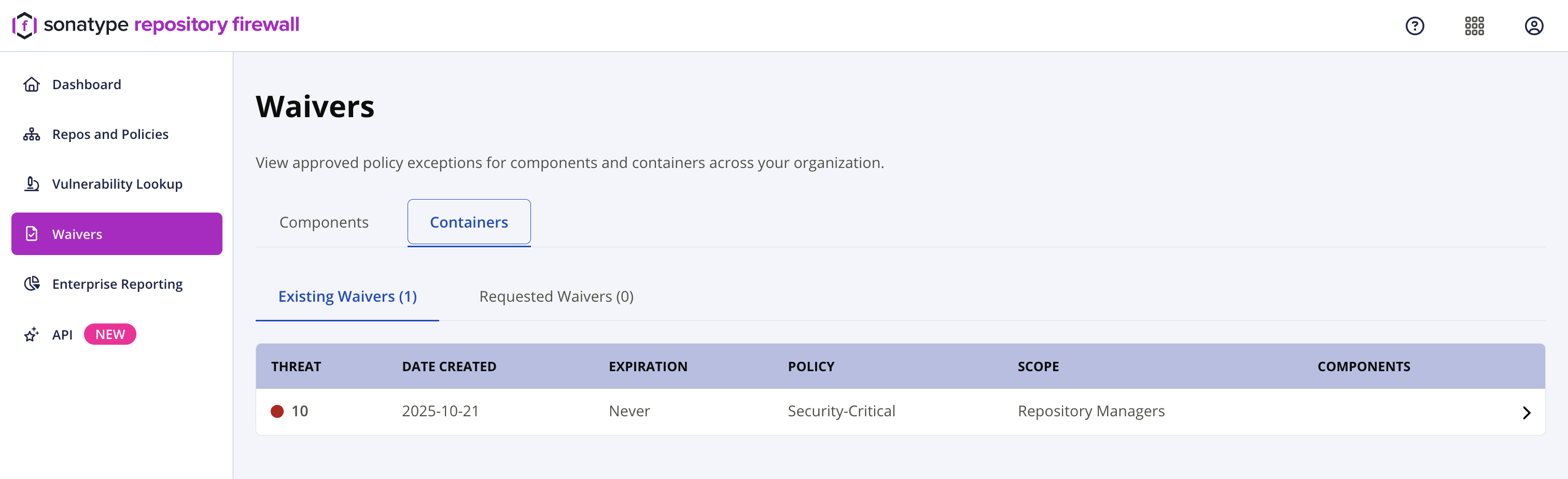
The list includes the waiver Threat, Date Created, Expiration, Policy, Scope, and Components.
Select the row arrow to view waiver details.
Requested Waivers
The Requested Waivers tab displays pending container waiver requests.
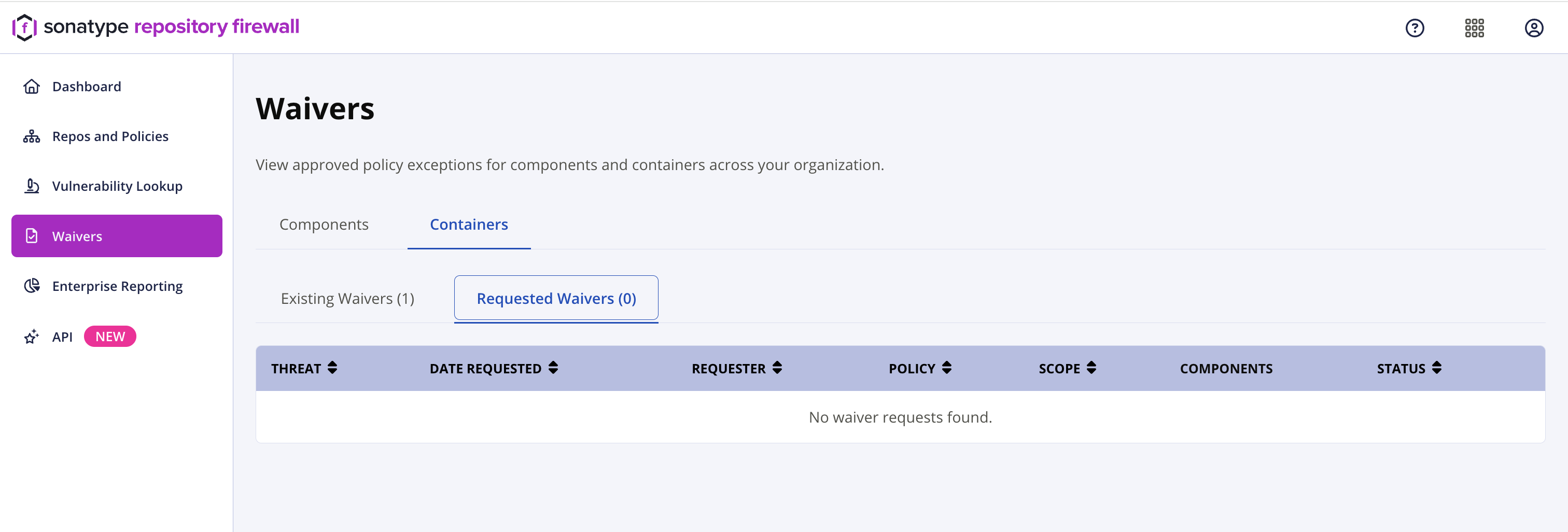
The list includes the waiver Threat, Date Requested, Requester, Policy, Scope, Components, and Status.
The list can be sorted by Threat, Date Requested, Requester, Policy, Scope, and Status.
If there are no container waiver requests, the dashboard displays No waiver requests found.
For more information, see Request Waivers.
Troubleshooting
Previously Applied Waiver No Longer Applicable
Possible cause: A policy element change was detected.
When Sonatype updates underlying data (for example, a vulnerability's severity score changes), the associated policy condition changes and any waiver scoped to it becomes inapplicable. The component may return to a quarantined state.
Example: A waiver on a vulnerability with severity 6.5 becomes inapplicable if the severity is updated to 7.0. A new waiver must be created to release the component again.
For more information about full waiver properties, see Waivers.