Renew Waiver
Use the Renew Waiver page to extend the expiry date of an existing waiver.
Access the page from either of the following locations:
Go to Waivers, click on Renew (
 ) icon in the Actions column.
Go to Repository Details > Policy Violations > Applicable Waivers, click on Renew (
) icon.Go to Bulk Waivers > Applicable Waivers, click on Renew (
) icon.Go to Waiver > Waiver Detail View, click Renew Waiver button at the top right.
The Renew Waiver button is shown only when the user has the Remediation > Waive Policy Violations permission enabled in their roles.
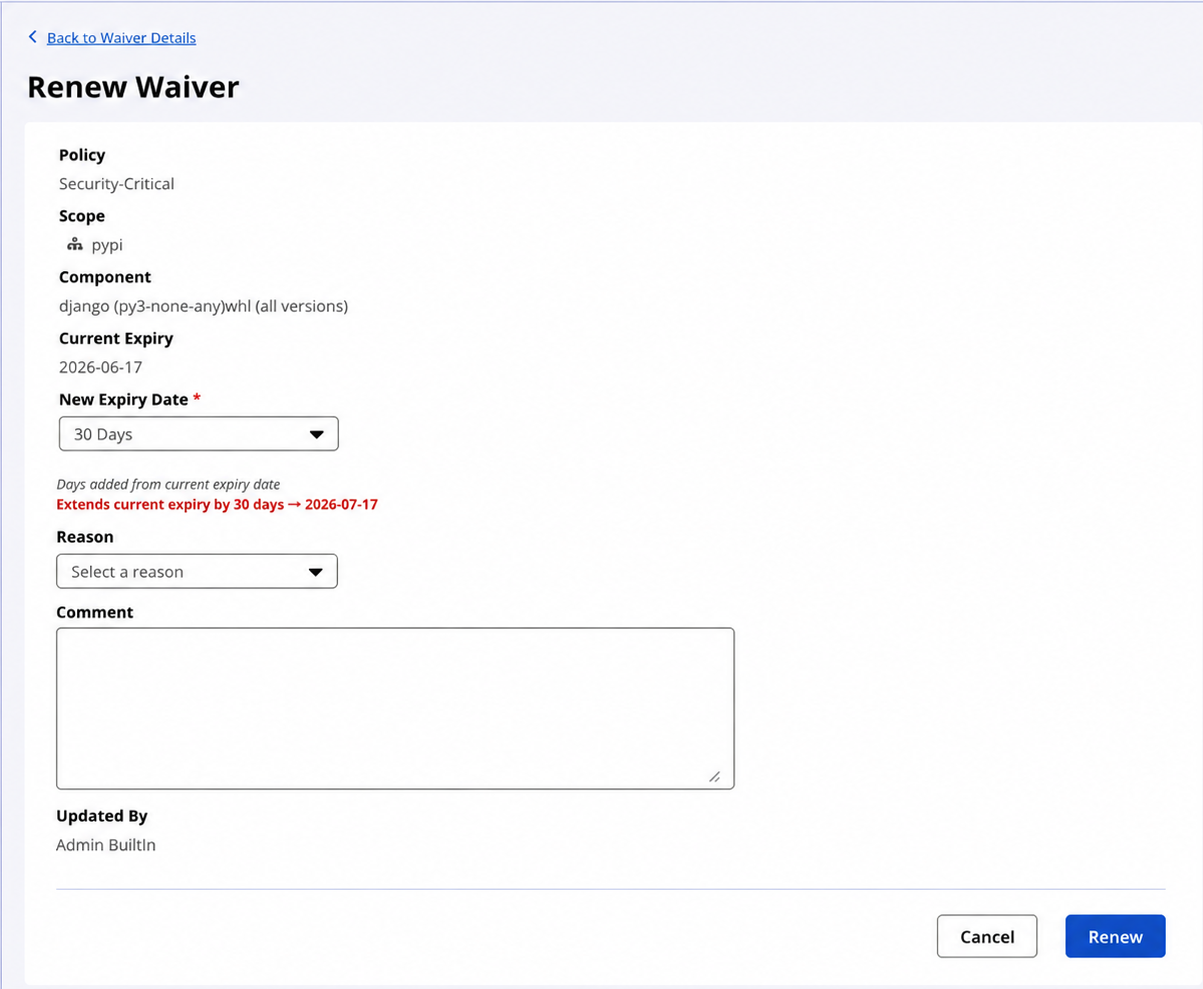
The page displays the following read-only information from the existing waiver:
Policy
Scope
Component, if applicable
Current expiry date
Updated By
The page displays the following renewal fields:
Field | Description |
|---|---|
New Expiry Date | Required. Select Never, 7 Days, 14 Days, 30 Days, 60 Days, 90 Days, 120 Days, or Custom. |
Reason | Optional. Select a configured waiver reason. |
Comment | Optional. Enter additional details. Maximum: 1000 characters. |
Renew a waiver
Select a new expiry value.
Optional: Select a reason.
Optional: Enter a comment.
Click Renew.
Firewall displays the following message while processing the request:
"Renewing waiver…"
After a successful renewal, Firewall returns you to the previous page and displays the following notification:
"Waiver renewed successfully."
If the renewal fails, Firewall displays an error message on the page.
If you attempt to leave the page with unsaved changes, Firewall displays a confirmation dialog.
Renewal behavior
If the waiver already has no expiry date and Never is selected, Firewall displays the following message and disables the Renew button:
"Waiver already has no expiry date. Select a new expiry to renew."
Firewall displays contextual renewal messages based on the waiver state:
Waiver state | Message |
|---|---|
Active waiver |
|
Expired waiver |
|
Never-expiring waiver |
|
If you select an invalid or past custom date, Firewall displays the following validation error and disables the Renew button:
"Date must be in the future"
Renew Waiver API
Use the following endpoint to renew waivers:
POST /api/v2/firewall/waivers/renew
The request accepts:
One or more waiver IDs
A new expiry time in ISO 8601 format, or
nullfor waivers that never expireOptional comment
Optional reason ID
The response includes:
Renewed waiver count
Not-found waiver count
Per-waiver error messages
If the caller does not have the WAIVE_POLICY_VIOLATIONS permission, the API returns HTTP 403 Forbidden.