Firewall for Swift
Repository Firewall supports audit and quarantine for Swift packages requested through Swift proxy repositories in Nexus Repository.
Repository Firewall evaluates the Swift package archive when the package is requested. In Quarantine mode, a package archive that is quarantined after policy evaluation is blocked from download.
Prerequisites
Before enabling Repository Firewall for a Swift proxy repository:
Configure an IQ Server connection for Nexus Repository.
Create a Swift proxy repository. See Create a Swift Repository.
Configure Swift Package Manager to use the Nexus Repository registry. See Configure Swift with Nexus.
Configure applicable policies to use a
Failaction at theProxystage when components that violate those policies should be quarantined. See Firewall Quarantine.
Enable Repository Firewall for a Swift Proxy Repository
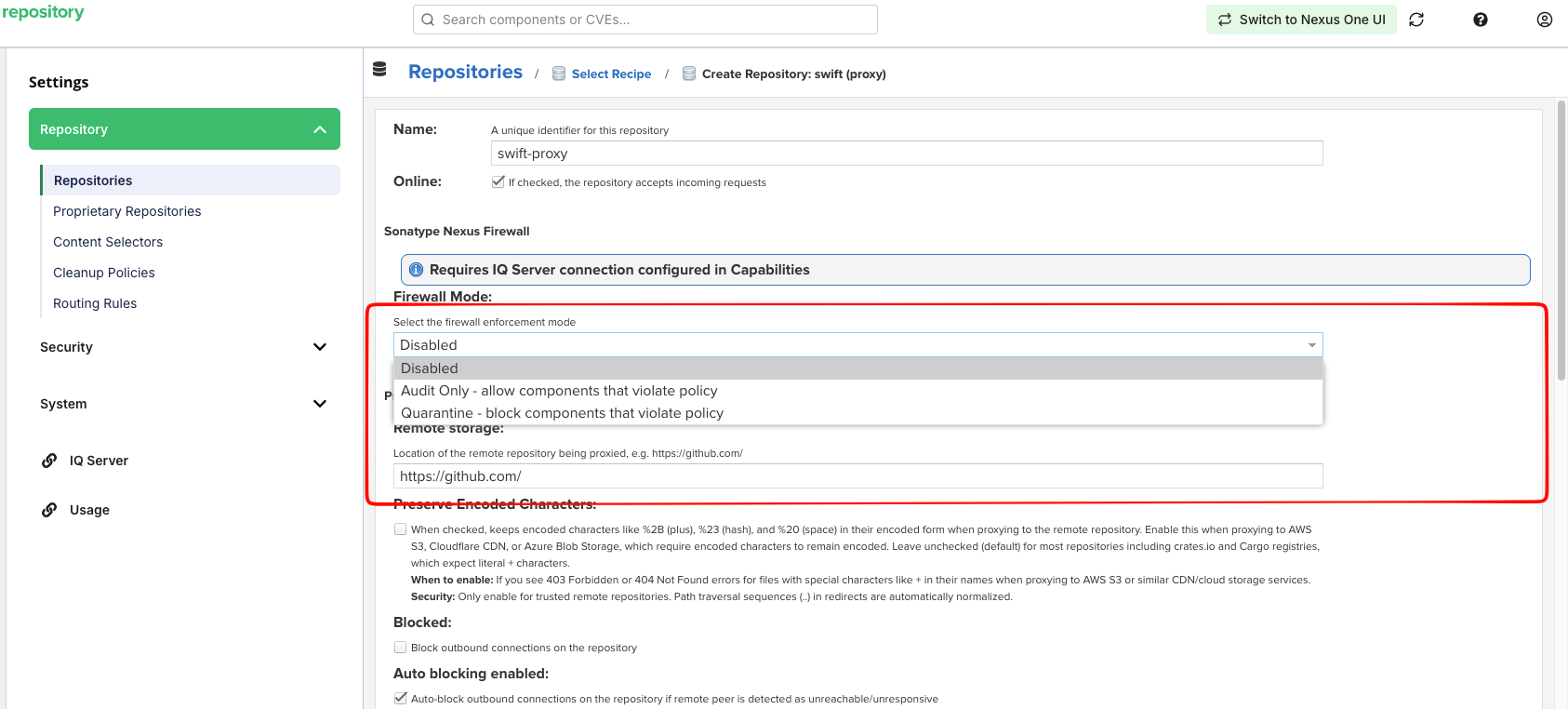
Configure Firewall settings from the Swift proxy repository configuration.
Open the Swift proxy repository configuration.
Locate the Sonatype Nexus Firewall section.
Select Enable Nexus Firewall for this repository.
From the Firewall Mode list, select one of the following:
Audit Only - allow components that violate policy
Quarantine - block component that violate policy
Save the repository configuration.
The selected Firewall mode is applied after the repository configuration is saved.
For more information about Firewall modes, see Firewall Configuration for Nexus Repository.
Note
Policy Compliant Component Selection (PCCS) does not apply to Swift proxy repositories. PCCS applies to npm and PyPI repositories only.
Configure Swift Package Manager
Configure Swift Package Manager to use the Swift proxy repository before requesting packages.
See Configure Swift with Nexus for registry and authentication configuration.
For dependencies declared with Git URLs, use the --replace-scm-with-registry option when resolving or building so that Swift Package Manager requests packages through the configured Nexus Repository registry. See Swift CLI Usage for command examples.
Verify Firewall Evaluation
Package Without Policy Violations
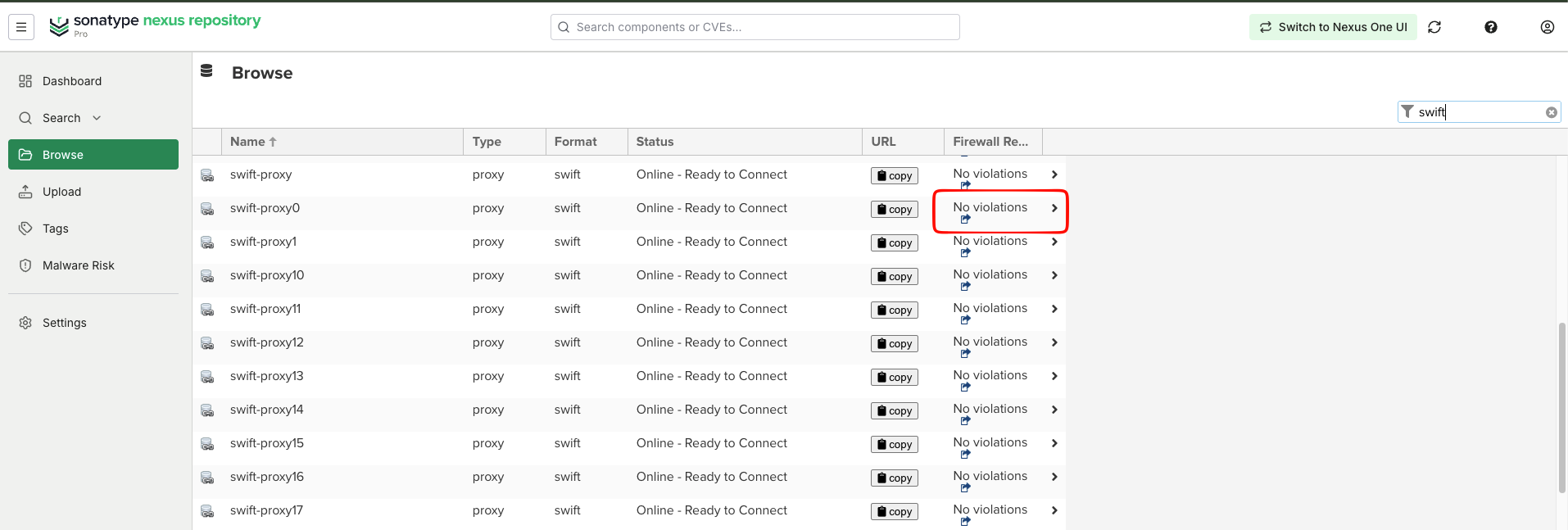
Request a Swift package through the configured Swift proxy repository. If the package does not have a policy violation or the repository has no requested packages, the Browse view displays No violations.
Quarantined Package
Configure applicable policies to use a FAIL action at the PROXY stage. See Firewall Quarantine for more information.
When Quarantine mode is enabled and a requested package violates one of these policies, Nexus Repository blocks the package archive.
Swift Package Manager may display only a generic HTTP 403 response, such as badResponseStatusCode(403). The Repository Firewall quarantine message and report link may not appear in the command-line output.
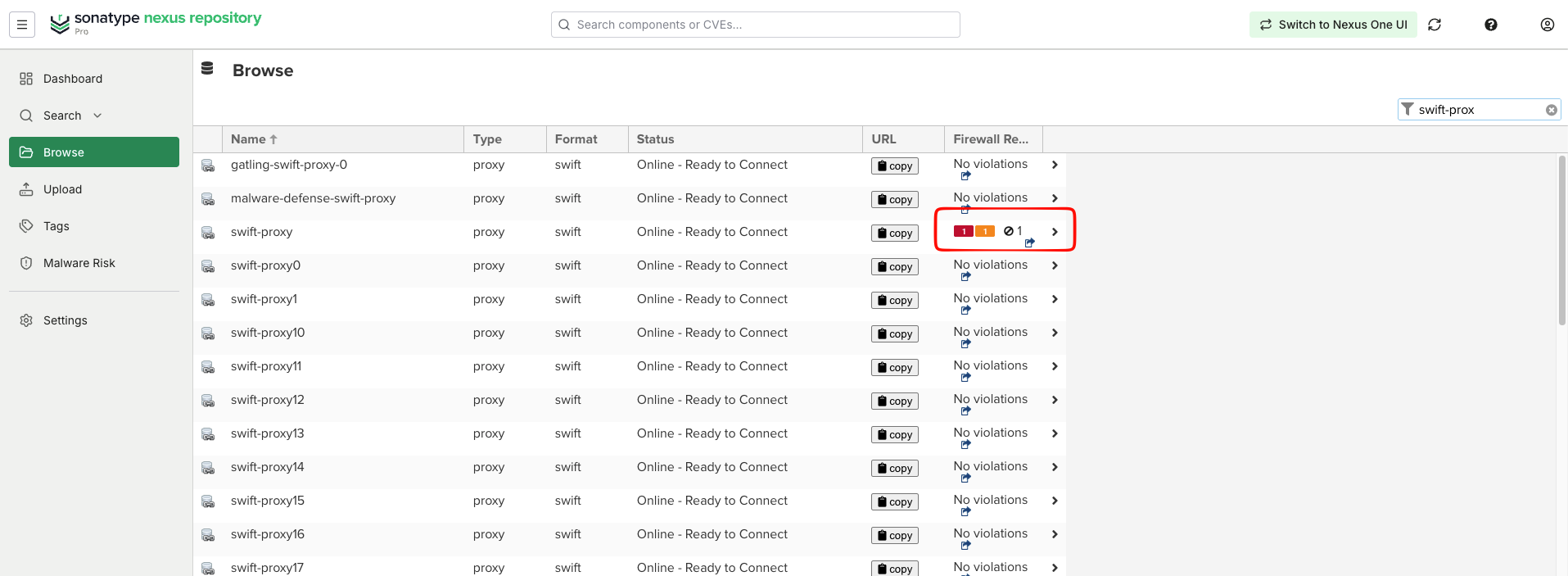
The Browse view displays the number of blocked items for the repository.
View Quarantined Swift Components
Firewall Dashboard
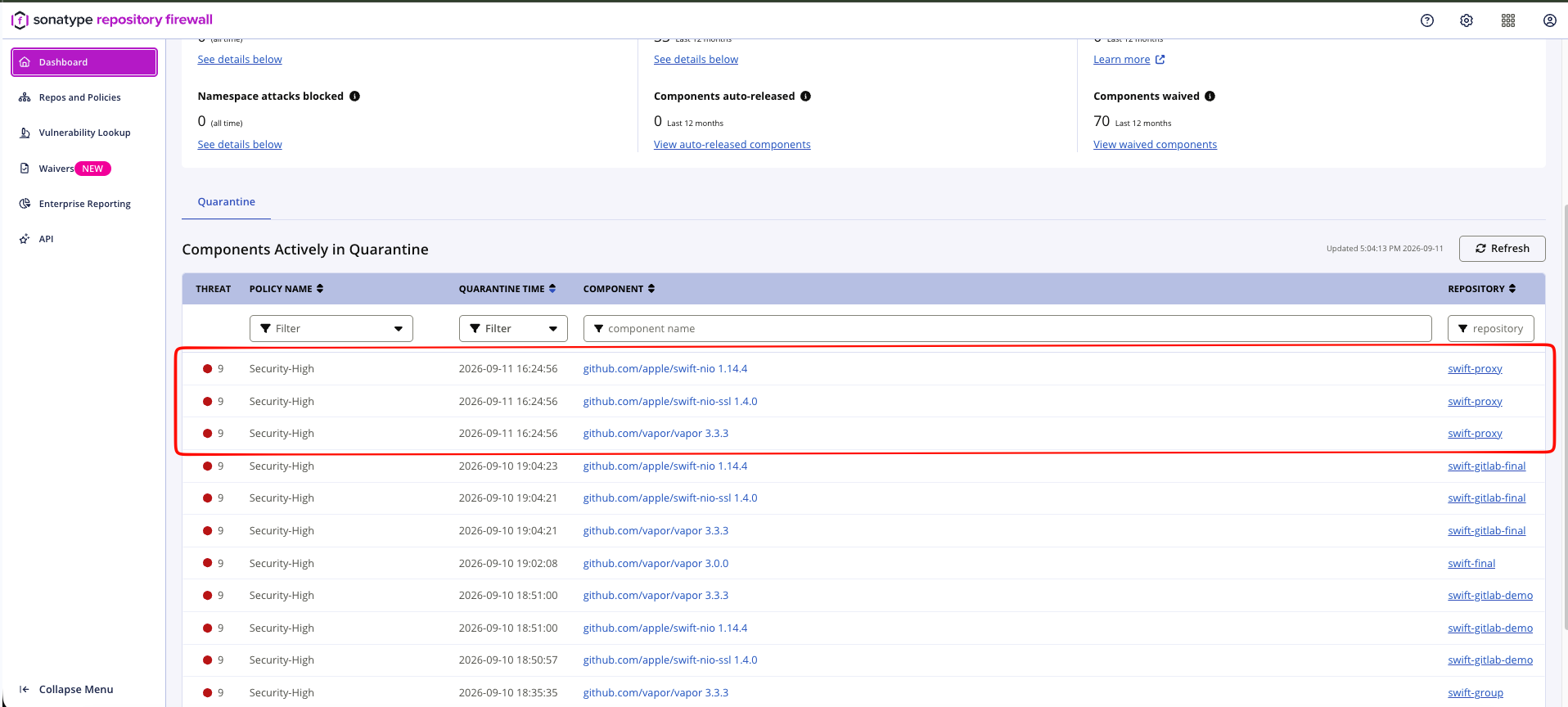
The Firewall Dashboard lists components that are currently quarantined across Firewall-enabled repositories. Quarantined Swift components appear in the Components Actively in Quarantine view.
See Firewall Dashboard for more information.
Repository Results
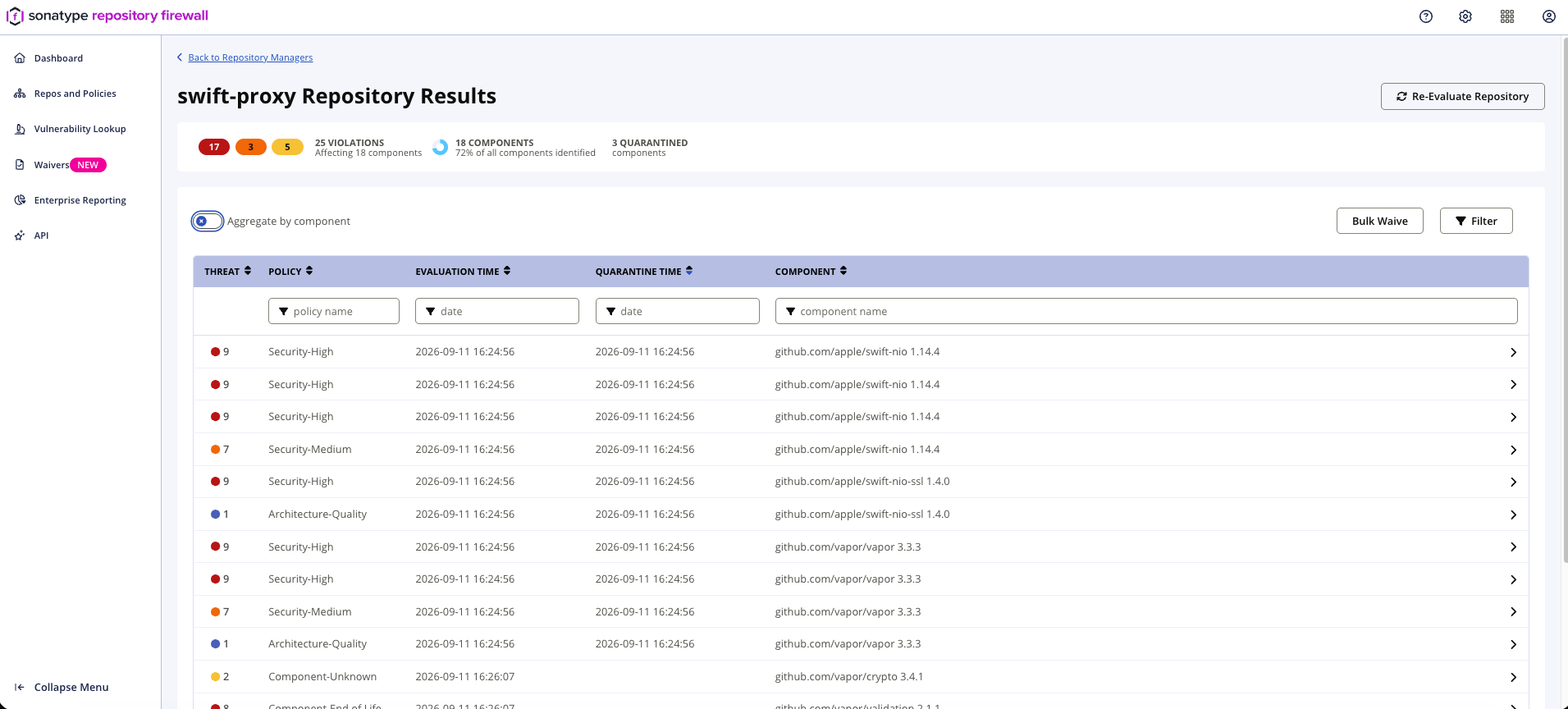
The Repository Results view lists components requested through the Swift proxy repository and their associated policy violations.
See Repository Results View for more information.